One trend that has become very clear at this year’s CES is that the Internet is slowly making its way into our cars. Of course, you can already browse the Net and play music from Pandora through your smartphone, but the next generation of cars – and especially electric cars – are making the Internet an integral part of the car’s feature set.
Toyota, Nissan, Ford, Chevy and most other major car manufacturers are introducing connected cars this year. These cars will all either feature fully integrated built-in Internet access through on-board wireless modules or, as is the case with Toyota’s Entune multimedia system, use a smartphone connection to enable this functionality.
Ford’s new plug-in Focus Electric, which it officially launched at CES today, for example, features a built-in wireless connection that connects the car to the cloud and allows owners to communicate with the car from their smartphones and through a mobile-optimized website. With SYNC, MyFordTouch and AppLink, Ford will allow owners of some of its cars to run apps like Pandora and control them through the car’s built-in entertainment system and control their features by voice.
While Ford was the first company to take this technology mainstream, a number of other manufacturers are now picking up on this trend as well. Toyota’s Entune will bring music from Pandora, Internet radio courtesy of IHeartRadio, restaurant reservations from OpenTable and search and maps from Microsoft’s Bing to some of its 2012 models.
Indeed, Microsoft is a player on a lot of fronts here. Ford’s SYNC, for example, is based on Microsoft’s Windows Embedded Automotive platform and Bing is not just coming to Toyota but also to Hyundai.
Third-party manufacturers are also getting into the game. Harman, for example, introduced a 4G wireless module for LTE networks that will allow drivers to bring the Internet to their older cars. This system will feature real-time traffic updates, games, streaming video and will give passengers access to the full Internet.
What is driving this trend?
First of all, the proliferation of smartphones has allowed us to become accustomed to having ubiquitous Internet access wherever we are. It doesn’t come as a surprise then that we expect the same from the most expensive piece of technology most of us own: our cars.
Another factor that’s driving this trend is that – unless you are a real car enthusiast – the main differentiator between cars in the same category today is technology. Touchscreens, voice recognition, access to your Pandora stations and – on a more basic level – an easy and working system for pairing your phone with your car over Bluetooth can be powerful factors when consumers make their buying decisions.
For electric cars, having Internet access in some form is virtually a must. With their limited range (generally around 100 miles), knowing where the next charging station is can make our break your trip to the grocery store. This data is changing rapidly, however, as new stations come online almost daily, so the manufacturers need to have the ability to update these cars’ navigation databases remotely. Bringing the car in to the dealership once a month to update the GPS system isn’t exactly a practical solution.
In some ways, this is turning cars into the ultimate gadget (and is also a challenge when it comes to usability). Just look at the Focus Electric, for example, which (assuming I counted right) features 18 buttons on the steering wheel alone, has to small LCD screens right in front of the driver and a large one in the middle console.
Full Internet Access and Any App You Want in Your Car? Not Quite Happening Yet
For now, most manufacturers are not bringing the full Internet experience to the car yet and only allow a limited set of apps on their dashboards. There are good reasons for that. The car industry is highly focused on safety and a malfunctioning app that takes over your audio system, for example, and suddenly overrides your volume settings due to a software bug, plays AC/DC at full volume and startles you to the point where you have an accident is a major liability and could cost a company like GM millions.
So for now, your smartphone is your best bet for getting online in your car (while you are in the passenger seat, of course), but your next car itself could be transmitting maintenance data over the Internet while you’re driving down the highway, allowing you to open and close your doors with the help of a smartphone app (Ford and GM are introducing this for their electric cars) and sending you a text message when its battery is running low or when it notices that you forgot to plug it in over night.
Via: newsgrange.com
Saturday, January 8, 2011
Apple Removes VLC Media Player from the App Store
Two months ago, we told you that there were a licensing issue between the creators of the open-source VLC platform and creators of the VLC iOS application. Now Apple has removed the application from their App Store. One of the developers of VLC for iOS has announced that on their blog:
At last, Apple has removed VLC media player from its application store. Thus the incompatibility between the GNU General Public License and the AppStore terms of use is resolved - the hard way. I am not going to pity the owners of iDevices, and not even the MobileVLC developers who doubtless wasted a lot of their time. This end should not have come to a surprise to anyone.[9to5mac]
Apple to Announce iPad 2 Within 3 or 4 Weeks (possibly on February 1st, 2011) !
Digg founder Kevin Rose today has received information from a reliable source claiming that Apple is going to announce the much waited iPad 2 within the next 3-4 weeks, possibly on February 1st, 2011. What's more interesting in the post, he says that another source told him that it will not feature Retina Display but instead is higher resolution screen with more dots per inch (DPI) in addition to dual cameras.
I have it on good authority that Apple will be announcing the iPad 2 in the next “3-4 weeks”, possibly Tuesday February 1st. The iPad 2 will feature a retina display and front/back cameras.We already saw iPad 2 case shown up in CES 2011, some leaks and videos. So, we may see Verizon iPhone next Tuesday followed by iPad 2 on February 1st? Let's wait !
Friday, January 7, 2011
LG Revolutio with Netflix Android app on
Android phones is just getting better and better every day ,now let's take a look on that nice LG phone,watching this hands-on video with Netflix app as being pre-installed on the LG Revolution. . wonder if it will be pre-installed on all Verizon LTE phones, just like Skype. Time will tell,
but the sure thing is the OS war between IOS and Android is just getting hotter with every sunrise
via[androinica]
but the sure thing is the OS war between IOS and Android is just getting hotter with every sunrise
via[androinica]
Mac App Store Tops 1 Million Apps Downloaded in 24 Hours
It's just 24 hours since the Mac App Store's opened yesterday and now Apple reports that over one million apps have been downloaded from the Mac App Store.
Full press release follows as:
CUPERTINO, California—January 7, 2011—Apple® today announced that over one million apps have been downloaded from the Mac® App Store℠ in the first day. With more than 1,000 free and paid apps, the Mac App Store brings the revolutionary App Store experience to the Mac, so you can find great new apps, buy them using your iTunes® account, download and install them in just one step.
“We’re amazed at the incredible response the Mac App Store is getting,” said Steve Jobs, Apple’s CEO. “Developers have done a great job bringing apps to the store and users are loving how easy and fun the Mac App Store is.”
The Mac App Store offers apps in Education, Games, Graphics & Design, Lifestyle, Productivity, Utilities and other categories. Users can browse new and noteworthy apps, find out what’s hot, see staff favorites, search categories and look up top charts for paid and free apps, as well as user ratings and reviews. The Mac App Store is available for Snow Leopard® users through Software Update as part of Mac OS® X v10.6.6.
Mac developers set the price for their apps, keep 70 percent of the sales revenue, are not charged for free apps and do not have to pay hosting, marketing or credit card fees. To find out more about developing for the Mac App Store visit developer.apple.com/programs/mac.
Apple designs Macs, the best personal computers in the world, along with OS X, iLife, iWork, and professional software. Apple leads the digital music revolution with its iPods and iTunes online store. Apple is reinventing the mobile phone with its revolutionary iPhone and App Store, and has recently introduced its magical iPad which is defining the future of mobile media and computing devices.
Thursday, January 6, 2011
App Store copy protection: 9 hours later, someone's cracked
ANONYMOUS #1:Apple App Store already "hacked"
ANONYMOUS #2:Too easy to hack Apps from MacStore
ANONYMOUS #3:Why am I not surprised?
ANONYMOUS #4:install the latest Snow Leopard update(10.6.6)
ANONYMOUS #5:It's *apparently* not very difficult to crack apps from the Mac App Store
The full Story:
9 hours later, someone's cracked App Store copy protection? Sigh.
How? Just follow the link for more reading ?????
ANONYMOUS #2:Too easy to hack Apps from MacStore
ANONYMOUS #3:Why am I not surprised?
ANONYMOUS #4:install the latest Snow Leopard update(10.6.6)
ANONYMOUS #5:It's *apparently* not very difficult to crack apps from the Mac App Store
The full Story:
9 hours later, someone's cracked App Store copy protection? Sigh.
How? Just follow the link for more reading ?????
- Install the latest Snow Leopard update(10.6.6). Sign into the new App Store (in your dock). Download Twitter, it's free. Then go to Applications folder, locate Twitter, right click, Show Package Contents, navigate to Contents folder and copy _CodeSignature, _MASReceipt and CodeResources.
- Download Angry Birds ( http://bit.ly/gy9wzk ).. run the dmg file.. drag Angry Birds into the Applications folder. right click, Show Package Contents, navigate to Contents folder and delete _CodeSignature, _MASReceipt and CodeResources. Now paste in the files you copied from the Twitter.app .
- Done. Enjoy Angry Birds and any other .app file from the new Mac App Store that you can find online ;)
- BAMMM
Apple: Coming iPad 2 Latest artwork AND iPhone 5 Parts Leaked on video
FIRST: iPad 2
MIC Gadget POSTS many of the latest artwork (NOT COMING OUT CUPERTINO). With all of the case leaks, there isn’t a lot of room for creativity…which isn’t a bad thing in this instance.
SECOND: iPhone 5
According to BGR, a firm called GlobalDirectParts claiming to have the Apple's next generation of iPhone (iPhone 5) parts, they prepared a five-plus minutes video showing this.
but unfortunately it can't be played anymore due to apple copy right clams ,too bad it was a good one ,
MIC Gadget POSTS many of the latest artwork (NOT COMING OUT CUPERTINO). With all of the case leaks, there isn’t a lot of room for creativity…which isn’t a bad thing in this instance.
SECOND: iPhone 5
According to BGR, a firm called GlobalDirectParts claiming to have the Apple's next generation of iPhone (iPhone 5) parts, they prepared a five-plus minutes video showing this.
but unfortunately it can't be played anymore due to apple copy right clams ,too bad it was a good one ,
AT&T: destory the $50 iPhone 3GS
BOOM! AT&T decided to destory the $50 smartphone market by dropping the iPhone 3GS price down to the same level as Nokia communicators. Starting from tomorrow iPhone 3GS which was selling for $99 will now cost only $49 on contract.
Notice this pricing is just for AT&T as the carrier is dropping the price independently from Apple themselves. To get this $49 one, you will have to go to the nearest local AT&T store to grab one for the half price.
AT&T Announces iPhone 3GS for $49.00[via MobileCrunch]
DALLAS, Jan. 6, 2011 /PRNewswire/ — AT&T* today announced a new price for the popular iPhone 3GS — $49.00 — available beginning tomorrow, Friday, January 7, for both new and upgrade-eligible existing AT&T customers. The offer will be available online at www.att.com/iphone, across more than 2,200 AT&T retail locations nationwide and through AT&T business channels, as well as Apple channels.**
Available only on the nation’s fastest mobile broadband network, iPhone 3GS delivers the following advantages unique to AT&T and its customers:
* Allows for true smartphone multi-tasking, such as talking and using applications at the same time, on AT&T’s mobile broadband network
* Provides access to our entire national Wi-Fi network with nearly 23,000 hotspots
* Provides the best global coverage with wireless voice and data access in more than 200 countries
“We want to deliver the best, most complete package for our customers — from price, to speed, to worldwide access and more,” said David Christopher, chief marketing officer of AT&T Mobility and Consumer Markets. “Combined with our new, lower monthly data plans beginning at just $15 a month, this new price brings even more value to one of the most popular devices in our leading lineup of smartphones. We’re very excited for more people to experience iPhone on the nation’s fastest mobile broadband network.”
iPhone 3GS gives users access to the latest iPhone iOS 4 software plus the revolutionary App Store. Additional information is available at www.apple.com.
*AT&T products and services are provided or offered by subsidiaries and affiliates of AT&T Inc. under the AT&T brand and not by AT&T Inc.
**Price for 3GS sold in Apple channels is determined by Apple.
Requires new 2-year wireless voice agmt of $39.99 or higher with min $15/mo plan. Subject to wireless customer agrmt. Internal roaming rates or charges apply. Credit approval req’d. Activ. fee up to $36/line. Coverage & svcs, including mobile broadband, not avail everywhere. Geographic, usage & other conditions & restrictions (that may result in svc termination) apply. Taxes & other chrgs apply. See store or visit att.com for details and coverage map. Early Termination Fee (ETF): None if cancelled during first 30 days, but a $35 restocking fee may apply; after 30 days, ETF up to $325 applies (details att.com/equipmentETF). Regulatory Cost Recovery Charge up to $1.25/mo. is chrg’d to help defray costs of complying with gov’t obligations & chrgs on AT&T & is not a tax or gov’t req’d chrg. Wi-Fi: Access includes AT&T Wi-Fi Basic.
Hackulous Teases DRM-free Mac App Store, 'Reverse BitTorrent'
Hackulous, the picaresque pirates best known for plundering Apple's DRM and capturing unprotected software for iPhone, iPod and iPad, yesterday unleashed an onslaught of updates, including cracking software for the much-anticipated Mac App Store and a "reverse BitTorrent" for jailbroken devices that aims to increase availability of cracked apps across the Web.
According to TorrentFreak, a community of hackers striving to circumnavigate DRM on Apple mobile devices, Hackulous is most notorious for two products: "Apptrakr," a Web-based index of cracked apps that boasts some 10 million unique users monthly; and "Installous," software that enables installation of software found via Apptrakr, which runs on about 9 million jailbroken Apple devices.
Here's what's new on the high seas. Hackulous admin Dissident announced dueling upgrades to "Clutch," which allows cracking of iOS, and its GUI, "Crackulous." There's also a piece of code called "Overdrive" that grogs up apps to keep them from becoming self-aware. The biggest news, however, is the new "Installous 4" package bundled in flagship Apptrakr.
Despite a bountiful booty of cracked apps, Apptrakr hasn't quite captured all of Apple's mobile apps. In the past, when a user bought an App Store app, they had to crack it, patch it, test it, upload it, and submit it to Apptrakr: the learning curve alone dissuaded use. Enter "Mobile Hunt," or what admin Dissident calls "reverse BitTorrent."
The hacker community's captain explains, "When you're using Installous you'll get a little pop up that says 'Hey, you have an application that Apptrakr doesn't.' We will add the application to a queue in the background (if you say yes) and it will start uploading tiny pieces of it, kind of like a torrent, up to the cloud."
Unlike BitTorrent, where a user uploads a single file that multiplies as others join, the launching point for Mobile Hunt is multifocal: many copies of the same software, evaporated in little drops from many devices into a cloud condensate a single copy that is then made available for download to millions of users via Apptrackr.
Yesterday's updates extend beyond the mobile frontier. Apple will launch the Mac App Store on January 6. A new product from Hackulous called "Kickback" aims to slash DRM from products available in the Mac App Store so that Hackulous can offer the same kind of free download service for the Mac as it currently provides for Apple's mobile devices. Don't expect Kickback right away, however. Dissident explains that Hackulous won't release it until the Mac App Store is up and running and fully stocked, because, "We don't want to devalue applications and frustrate developers." Now that's a courteous pirate.
Via: pcworld.com
According to TorrentFreak, a community of hackers striving to circumnavigate DRM on Apple mobile devices, Hackulous is most notorious for two products: "Apptrakr," a Web-based index of cracked apps that boasts some 10 million unique users monthly; and "Installous," software that enables installation of software found via Apptrakr, which runs on about 9 million jailbroken Apple devices.
Here's what's new on the high seas. Hackulous admin Dissident announced dueling upgrades to "Clutch," which allows cracking of iOS, and its GUI, "Crackulous." There's also a piece of code called "Overdrive" that grogs up apps to keep them from becoming self-aware. The biggest news, however, is the new "Installous 4" package bundled in flagship Apptrakr.
Despite a bountiful booty of cracked apps, Apptrakr hasn't quite captured all of Apple's mobile apps. In the past, when a user bought an App Store app, they had to crack it, patch it, test it, upload it, and submit it to Apptrakr: the learning curve alone dissuaded use. Enter "Mobile Hunt," or what admin Dissident calls "reverse BitTorrent."
The hacker community's captain explains, "When you're using Installous you'll get a little pop up that says 'Hey, you have an application that Apptrakr doesn't.' We will add the application to a queue in the background (if you say yes) and it will start uploading tiny pieces of it, kind of like a torrent, up to the cloud."
Unlike BitTorrent, where a user uploads a single file that multiplies as others join, the launching point for Mobile Hunt is multifocal: many copies of the same software, evaporated in little drops from many devices into a cloud condensate a single copy that is then made available for download to millions of users via Apptrackr.
Yesterday's updates extend beyond the mobile frontier. Apple will launch the Mac App Store on January 6. A new product from Hackulous called "Kickback" aims to slash DRM from products available in the Mac App Store so that Hackulous can offer the same kind of free download service for the Mac as it currently provides for Apple's mobile devices. Don't expect Kickback right away, however. Dissident explains that Hackulous won't release it until the Mac App Store is up and running and fully stocked, because, "We don't want to devalue applications and frustrate developers." Now that's a courteous pirate.
Via: pcworld.com
Apple Releases OS X 10.6.6 and Mac App Store
A great news few minutes ago from Apple which released OS X 10.6.6 with access to the Mac App Store in Software Update.
About 114 MB is available now free to download for Snow Leopard users. As noted by Macworld, the Mac App Store includes some apps from Apple such as:
Update: here are the direct links to the OS X 10.6.6. update.
- Mac OS X v10.6.6 Update
- Mac OS X v10.6.6 Update Combo
- Mac OS X Server v10.6.6 Update
- Mac OS X Server v10.6.6 Update Combo
About 114 MB is available now free to download for Snow Leopard users. As noted by Macworld, the Mac App Store includes some apps from Apple such as:
- The three key apps in the $49 iLife ’11 suite—iPhoto, iMovie, and GarageBand—are now available via the Mac App Store for $15 each. The boxed iLife ’11 suite, in contrast, costs $49—slightly more than the three apps a la carte, though the suite also includes iDVD and iWeb, two apps that haven’t been substantially updated in recent years.
- The three apps that make up the $79 iWork ’09 suite—Pages, Keynote, and Numbers—are also available on the Mac App Store, for $20 each, undercutting the $79 price of the boxed suite. It’s an even better deal if you’re only a user of one of the apps—Keynote, for example.
- Aperture and Apple Remote Desktop are also on sale in the Mac App Store, both available at $79.99.
Update: here are the direct links to the OS X 10.6.6. update.
- Mac OS X v10.6.6 Update
- Mac OS X v10.6.6 Update Combo
- Mac OS X Server v10.6.6 Update
- Mac OS X Server v10.6.6 Update Combo
Redsn0w 0.9.6rc8 Download Available with Few Bug Fixes !
Redsn0w 0.9.6rc7 was released couple of days ago with ‘one-click’ tethered boot option to ease the process for those having a tethered jailbreak until the untethered redsn0w 0.9.7 jailbreak is finalized. Redsn0w 0.9.6rc8 offers a few bug fixes from rc7, most significantly that
custom tethered boot logo commands will now report if and why an invalid PNG file is attempted.
You can download Redsn0w 0.9.6rc8 from the links below and use the same methods to boot tethered your iOS device mentioned here.
Download Redsn0w 0.9.6rc8 for Windows
Download Redsn0w 0.9.6rc8 for Mac OS X
Download iOS 4.2.1 for iPhone, iPad and iPod touch
Download iTunes 10.1 for Windows and Mac OS X
custom tethered boot logo commands will now report if and why an invalid PNG file is attempted.
You can download Redsn0w 0.9.6rc8 from the links below and use the same methods to boot tethered your iOS device mentioned here.
Download Redsn0w 0.9.6rc8 for Windows
Download Redsn0w 0.9.6rc8 for Mac OS X
Download iOS 4.2.1 for iPhone, iPad and iPod touch
Download iTunes 10.1 for Windows and Mac OS X
Wednesday, January 5, 2011
Is that iPhone 5 Parts Leaked on this Video?!
According to BGR, a firm called GlobalDirectParts claiming to have the Apple's next generation of iPhone (iPhone 5) parts, they prepared a five-plus minutes video showing this.
Anyway, it's expected to see and hear about such rumors, I can't confirm whether it's fake or real parts, while they are still not confirmed officially from Apple.
We get a crystal clear look at the charging-port flex-cable and outer aluminum skeleton of the device. There are several key differences between the iPhone 4 parts and the new parts we are being shown — displayed side by side in the video — including the absence of several of the black, plastic strips on the casing. This new iPhone shell still has a micro-SIM card slot, which could mean several things: it belongs to a global CDMA iPhone, it is a slight retooling of the current GSM iPhone 4 (iPhone 4GS anyone?)
Anyway, it's expected to see and hear about such rumors, I can't confirm whether it's fake or real parts, while they are still not confirmed officially from Apple.
Jailbreak Dev Releases UberSocial iPhone App
With few exceptions, most social networking apps that piggyback on Twitter's framework fail to deliver anything worth downloading, let alone uttering a word about to another social networking fanatic. Fortunately, such is not the case with UberSocial, a sweet new social networking app that comes to us from Tunji Afonja, a jailbreak developer whose work is hosted on ModMyi.
UberSocial lets you stay in touch with the people and information that matter to you, whether you have a Twitter account or not. From your own timeline to the world’s most intriguing entertainers, sports icons, political players, news sources and much more, the world’s best tweets are now at your finger tips.
Twitter junkies will especially appreciate the app's attention to letting users follow friends and fascinating figures in the "coolest and most enjoyable manner" possible, like via the Tab View, Top Tweets, Filters, Slide Down to Tweet, etc. With poor navigation proving a repeated sticking point for many Twitter users (and folks who refuse to use Twitter for this reason) UberSocial's Navigation Evolved rubric will be a sight for sore eyes, particularly with regard to the app's new approach to refreshing your timeline and presenting who is saying what and when. You can even go to the top or bottom of a tweet stream with a single touch.
UberSocial - an app definitely worth checking out - is available now for download from the App Store HERE.
Via: modmyi.com
Promising a unique Twitter experience that actually is unique, the free iPhone app enables you to follow the people that you actually possess some remote interest in. Best of all, even if you are a professed Twitter hater, you can still enjoy UberSocial. Why? Because you don't have to be on Twitter yourself to keep tabs on those who are.
Twitter junkies will especially appreciate the app's attention to letting users follow friends and fascinating figures in the "coolest and most enjoyable manner" possible, like via the Tab View, Top Tweets, Filters, Slide Down to Tweet, etc. With poor navigation proving a repeated sticking point for many Twitter users (and folks who refuse to use Twitter for this reason) UberSocial's Navigation Evolved rubric will be a sight for sore eyes, particularly with regard to the app's new approach to refreshing your timeline and presenting who is saying what and when. You can even go to the top or bottom of a tweet stream with a single touch.
UberSocial - an app definitely worth checking out - is available now for download from the App Store HERE.
Via: modmyi.com
Untethered 4.2.1 Jailbreak VIDEO -- Unlock Follows when Ready!!
Hello world.. to everyone who is asking about the unlock, I'm just here to inform you that the work is concentrated on the untethered iOS 4.2.1 jailbreak to be ready as soon as possible. below is a video demo by Sherif Hashim (baseband unlocker) for untethered jailbreak on iOS 4.2.1...
Wanna unlock for iPhone 4? Sherif says it will follow the untethered jailbreak = it's almost ready and let the count down begin.. IN LESS THAN 10 DAYS.. DON'T forget to tweet, share and like the post with your friends. spread the word !
Tuesday, January 4, 2011
Facbook's iPad: Facepad, at last
Because Facebook's CEO and founder Mr. Mark Zuckerberg believes that iPad isn't as mobile as the smartphone, he (i mean Facebook) hasn't released any official client for iPad until now.
The other developers use this opportunity to create many iPad's Facebook apps such as {Friendly for Facebook} one of the most popular Facebook app for iPad.
And now, Facepad is in the game. Facepad for iPad was released last week and it has clearly taken some design clues from the popular Twitter client called Twitter for iPad.
The similarities are obvious, but not in a bad way. The app works using windows or tabs, so you can open multiple profiles and check them out in seconds. People who have used this app seem to have really like it. It has had over a million ad impressions in its first twelve hours of release. This doubled after twenty-four hours, and now it is the 15th most popular app on the iTunes App Store.
Download Facepad – Facebook for iPad from HERE.
The other developers use this opportunity to create many iPad's Facebook apps such as {Friendly for Facebook} one of the most popular Facebook app for iPad.
And now, Facepad is in the game. Facepad for iPad was released last week and it has clearly taken some design clues from the popular Twitter client called Twitter for iPad.
The similarities are obvious, but not in a bad way. The app works using windows or tabs, so you can open multiple profiles and check them out in seconds. People who have used this app seem to have really like it. It has had over a million ad impressions in its first twelve hours of release. This doubled after twenty-four hours, and now it is the 15th most popular app on the iTunes App Store.
Download Facepad – Facebook for iPad from HERE.
Update iPhone 4 to iOS 4.2.1 While Preserving Baseband [How to Guide]
Most of iPhone 4 users didn't update to iOS 4.2.1 as it updates baseband and make it not unlockable. So in case you got an iPhone 4 on older 01.59.00 baseband, we have been tipped off about a solution for that. The below steps will guide you to update iPhone 4 to iOS 4.2.1 while preserving the same older baseband 01.59.00 and unlock it.
STEP 1: Right click on Notepad from Start - Programs - Accessories, then choose Run as administrator from the contextual popup menu.
STEP 2: Once notepad opens, select Open from the File menu then navigate to C:\Windows\System32\drivers\etc\ and open the hosts file as shown:
STEP 3: Now add 74.208.10.249 gs.apple.com to end of the file as shown in the screenshot below:
STEP 4: Now, you'll have to restore your iPhone 4 to iOS 4.2.1 by clicking on the iPhone icon on the left sidebar of iTunes then hold left “alt” button (“Shift” button on Windows) on the keyboard and click on “Restore” then release the alt button, Now Select the original iOS 4.2.1 firmware found here.
STEP 5: iTunes should pop-up with some error as error 1013, 1015 or some other error. This indicates that you have done it successfully, hit OK to continue.
STEP 6: Now you iPhone will stuck in Recovery Mode showing the well-known "Connect to iTunes" message. You have to run TinyUmbrella (Windows - Mac) or RecBoot 2.1 for Mac OS Xto get out of recovery mode.
You'll now be able to jailbreak your iPhone 4 using Redsn0w 0.9.6 for tethered and Redsn0w 0.9.7 for untethered one then unlock it using Ultrasn0w carrier unlock. [Thanks @AppleBullet for hat tip, via @Ven000m]
STEP 1: Right click on Notepad from Start - Programs - Accessories, then choose Run as administrator from the contextual popup menu.
STEP 2: Once notepad opens, select Open from the File menu then navigate to C:\Windows\System32\drivers\etc\ and open the hosts file as shown:
STEP 3: Now add 74.208.10.249 gs.apple.com to end of the file as shown in the screenshot below:
STEP 4: Now, you'll have to restore your iPhone 4 to iOS 4.2.1 by clicking on the iPhone icon on the left sidebar of iTunes then hold left “alt” button (“Shift” button on Windows) on the keyboard and click on “Restore” then release the alt button, Now Select the original iOS 4.2.1 firmware found here.
STEP 5: iTunes should pop-up with some error as error 1013, 1015 or some other error. This indicates that you have done it successfully, hit OK to continue.
STEP 6: Now you iPhone will stuck in Recovery Mode showing the well-known "Connect to iTunes" message. You have to run TinyUmbrella (Windows - Mac) or RecBoot 2.1 for Mac OS Xto get out of recovery mode.
You'll now be able to jailbreak your iPhone 4 using Redsn0w 0.9.6 for tethered and Redsn0w 0.9.7 for untethered one then unlock it using Ultrasn0w carrier unlock. [Thanks @AppleBullet for hat tip, via @Ven000m]
Magic Mirror: See Your Own Skeleton !
Another day, another Kinect hack. The Microsoft motion-control camera is fast becoming the go-to Augmented Reality accessory for the geek set. This week’s demo has a decidedly medical bent; the magic mirror project lets you see a real time view of "your" skeleton like a real-time x-ray.
The cross section isn’t actually the user’s skeleton but a volume visualization of a medical data set. Still, the corresponding programming magic is still impressive. The whole thing uses the Kinect for tracking and then has a simple mask revealing the skeleton underneath.
The project was made at the Technische Universitat Munchen in Germany as one of several Medical Augmented Reality projects as the university. Since the overlay isn’t actually of your own skeleton, it’s probably not accurate enough for, say, surgery or setting bones, but it’s not hard to imagine it being used for chiropractics a few revisions down the line or just for the basic medical education suggested on the project site. Or if you’re less interested in the advancement of medicine it can just be a pretty kicking display at your next Halloween party.
[via Wired] {Thanks: PCworld}
The cross section isn’t actually the user’s skeleton but a volume visualization of a medical data set. Still, the corresponding programming magic is still impressive. The whole thing uses the Kinect for tracking and then has a simple mask revealing the skeleton underneath.
The project was made at the Technische Universitat Munchen in Germany as one of several Medical Augmented Reality projects as the university. Since the overlay isn’t actually of your own skeleton, it’s probably not accurate enough for, say, surgery or setting bones, but it’s not hard to imagine it being used for chiropractics a few revisions down the line or just for the basic medical education suggested on the project site. Or if you’re less interested in the advancement of medicine it can just be a pretty kicking display at your next Halloween party.
[via Wired] {Thanks: PCworld}
HOW TO: Boot Your Tethered Jailbroken iPhone, iPod Touch and iPad Using Redsn0w 0.9.6rc7 (Windows & Mac)
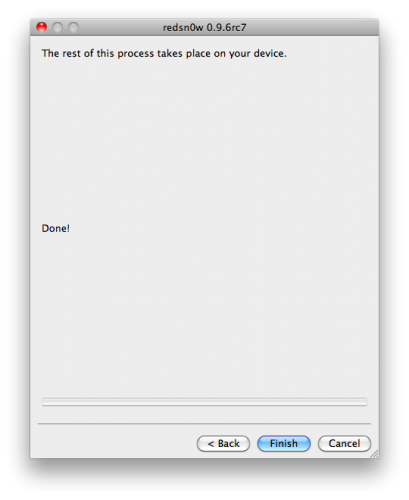
Few hours ago, the iPhone Dev-Team has just released Redsn0w 0.9.6rc7 with one click tethered iOS 4.2.1 jailbreak boot support. Now I will show you how to quickly boot your tethered jailbroken iPhone using RedSn0w 0.9.6rc7 for Windows and Mac. Check out the step by step guide after the jump.
For Windows users:
STEP 1: Download Redsn0w 0.9.6rc7 for Windows and the proper firmware for your device then place them in one folder, let's name it "Pwnage" on you desktop (Download links at the end)
STEP 2: Double Click on Redsn0w file to extract it.
STEP 3: Press on Windows icon at the task bar and type "run" then type "cmd" to start Command Prompt on Windows with Administrative privileges.
STEP 4: Input the following command :
(Important note: modify the name of the folder "Pwnage", and IPSW file as necessary)
STEP 5: RedSn0w will now open, follow the steps to put your iPhone into DFU mode and boot your device in a tethered jailbroken state.
For Mac users:
STEP 1: Download Redsn0w 0.9.6rc7 for Mac and the proper firmware for your device then place them in one folder let's name it "Pwnage" on you desktop (Download links at the end)
STEP 2: Double Click on Redsn0w file to extract it.
STEP 3: Launch Terminal from Applications:Utilities folder
STEP 4: Enter the following command
(Important note: modify the name of the "Pwnage", and IPSW file as necessary)
STEP 5: RedSn0w will now open, follow the steps to put your iPhone into DFU mode and boot your device in a tethered jailbroken state.
Now you successfully Booted your tethered jailbroken iPhone, iPod touch and iPad with these few simple steps [iClarified]
Download iOS 4.2.1 for iPhone 4, 3GS, 3G, iPad, iPod touch
Download Redsn0w 0.9.6rc7 for Windows
Download Redsn0w 0.9.6rc7 for Mac
Download iTunes 10.1.1 for Windows and Mac
For Windows users:
STEP 1: Download Redsn0w 0.9.6rc7 for Windows and the proper firmware for your device then place them in one folder, let's name it "Pwnage" on you desktop (Download links at the end)
STEP 2: Double Click on Redsn0w file to extract it.
STEP 3: Press on Windows icon at the task bar and type "run" then type "cmd" to start Command Prompt on Windows with Administrative privileges.
STEP 4: Input the following command :
- For devices with the new bootrom:
%homepath%\Desktop\Pwnage\redsn0w_win_0.9.6rc7\redsn0w.exe -j -i %homepath%\Desktop\Pwnage\iPhone3,1_4.2.1_8C148_Restore.ipsw
- For devices with the old bootrom (iPod 2G, iPhone 3GS):
%homepath%\Desktop\Pwnage\redsn0w_win_0.9.6rc7\redsn0w.exe -j -o -i %homepath%\Desktop\Pwnage\iPhone2,1_4.2.1_8C148a_Restore.ipsw
STEP 5: RedSn0w will now open, follow the steps to put your iPhone into DFU mode and boot your device in a tethered jailbroken state.
For Mac users:
STEP 1: Download Redsn0w 0.9.6rc7 for Mac and the proper firmware for your device then place them in one folder let's name it "Pwnage" on you desktop (Download links at the end)
STEP 2: Double Click on Redsn0w file to extract it.
STEP 3: Launch Terminal from Applications:Utilities folder
STEP 4: Enter the following command
- For devices with the new bootrom
open ~/Desktop/Pwnage/redsn0w_mac_0.9.6rc7/redsn0w.app --args -j -i ~/Desktop/Pwnage/iPhone3,1_4.2.1_8C148_Restore.ipsw
- For devices with the old bootrom (iPod 2G, iPhone 3GS):
open ~/Desktop/Pwnage/redsn0w_mac_0.9.6rc7/redsn0w.app --args -j -o -i ~/Desktop/Pwnage/iPhone2,1_4.2.1_8C148a_Restore.ipsw
STEP 5: RedSn0w will now open, follow the steps to put your iPhone into DFU mode and boot your device in a tethered jailbroken state.
Now you successfully Booted your tethered jailbroken iPhone, iPod touch and iPad with these few simple steps [iClarified]
Download iOS 4.2.1 for iPhone 4, 3GS, 3G, iPad, iPod touch
Download Redsn0w 0.9.6rc7 for Windows
Download Redsn0w 0.9.6rc7 for Mac
Download iTunes 10.1.1 for Windows and Mac
Geohot Releases PS3 Root Keys ! PS 3 is Now Pwned for Life !
Couple of days back, we informed you about a small group of German hackers calledfail0verflow who found an exploit dubbed as the PlayStation 3’s “private key”, which is used by Sony itself to restrict the access to unsigned code and block pirated software.
props to fail0verflow for the asymmetric halfNow, this prodigy hacker Geohot has released PS 3 Root Keys publicly on his own site beside thanking the fail0verflow team. He also encouraged them to contact him if they want their “next console to be secure”. From now on, developers can make their own applications, custom firmwares or even pirated ISOs without facing any kind of problems. Well, well, well. What's next geo? [PSX-Scene]
no donate link, just use this info wisely
i do not condone piracy
if you want your next console to be secure, get in touch with me. any of you 3.
it’d be fun to be on the other side.
…and this is a real self, hello world
shouts to the guys who did PSL1GHT
without you, I couldn’t release this
Monday, January 3, 2011
iPhone Apps May be Spying on You [Warning]
What would you feel when you discover that some apps running on you iPhone which know your contact information, current location and etc, could be spying on you? here's what Wall Street Journal said regarding this.
An examination of 101 popular smartphone “apps”—games and other software applications for iPhone and Android phones—showed that 56 transmitted the phone’s unique device ID to other companies without users’ awareness or consent. Forty-seven apps transmitted the phone’s location in some way. Five sent age, gender and other personal details to outsiders.
Of course, it may be useful in some cases, such as Google's web search, Gmail and mobile AdMob which give us ads related to our interests. But in fact, I can't trust the unknown developers behind the free or cheap apps at all, what they gonna do with your private information ?
Apps sharing the most information included TextPlus 4, a popular iPhone app for text messaging. It sent the phone’s unique ID number to eight ad companies and the phone’s zip code, along with the user’s age and gender, to two of them.In the above figure, you can see an app like Panadore which transmits lots of demographoic information while Apple claims they police the apps and make sure they fall within proper guidelines. Of course there's a permision before sharing your location, but there's no permision to share you iPhone UDID (unique identifier) which considers as a fingerprint or "super cookie" which allows the unknowns to track your activities.
WSJ has reported that Angry Birds, sends both UDID and location data back to its developer (who says, they don’t use it to advertise and don’t share it with anyone else) so what they are doning with such database. Any way, personally I trust those giants like Apple, Google and etc., but don't trust every little developer who has the same access to my device, what about you? [via TiPb]
Subscribe to:
Posts (Atom)